Scheduled Allowance
Set a weekly or monthly allowance per kid. PennyCrew records each payment in their account on schedule. Pause or resume any time.
PennyCrew is the family app where kids earn through chores and routines, save toward goals and ask before they spend, with a parent approving each step.
Coming soon to iOS and Android. Free for one kid, no card needed.
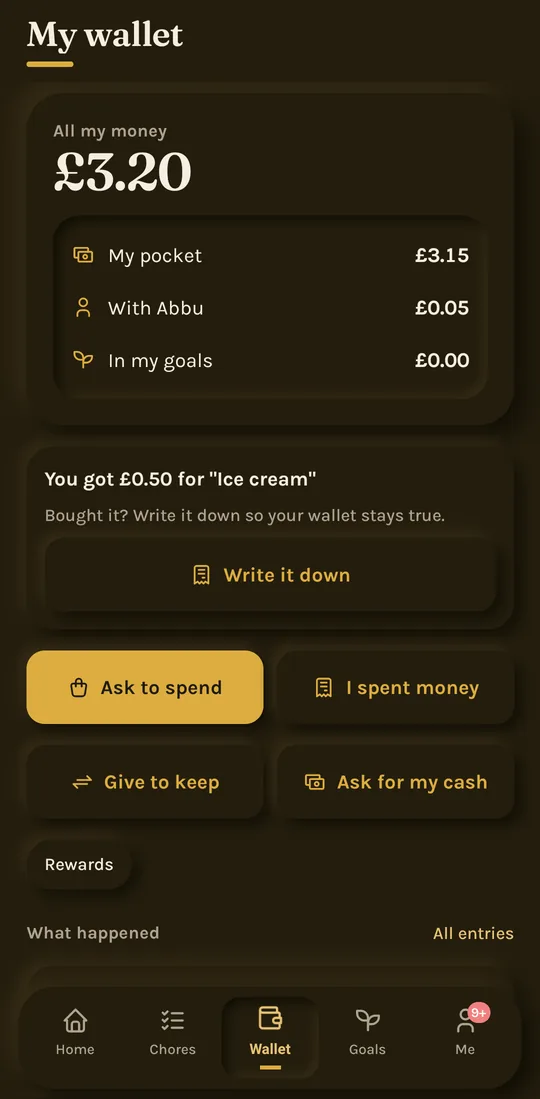
The real app, with a sample family
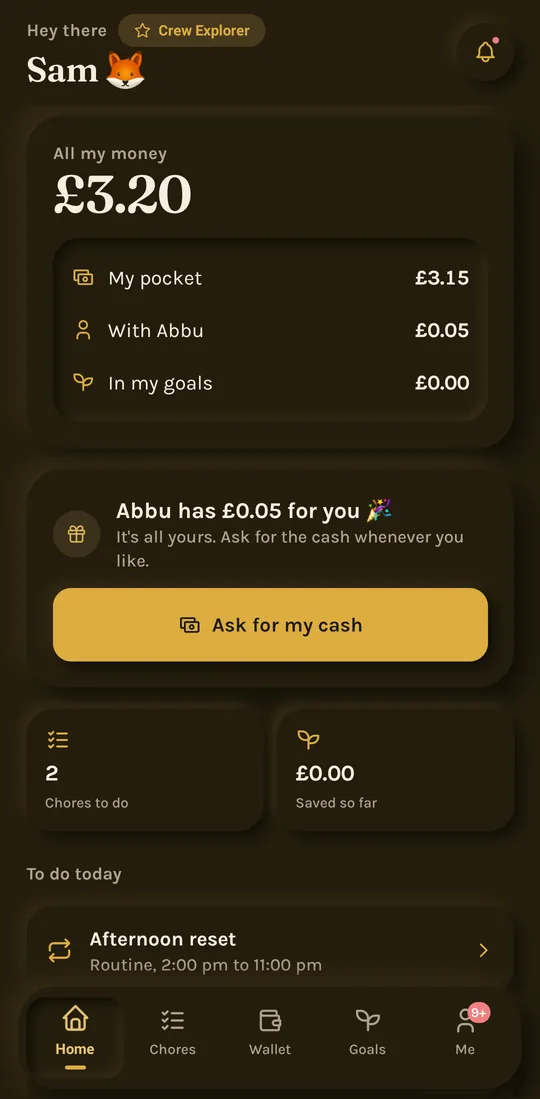
A kid's money is in their pocket, with a parent, or saved for a goal. PennyCrew shows all three, and moves it only when it really moves.
PennyCrew is a tracker, not a bank: every coin is somewhere real, and nothing is counted twice.
A look at the screens parents and kids use every day.
For parents
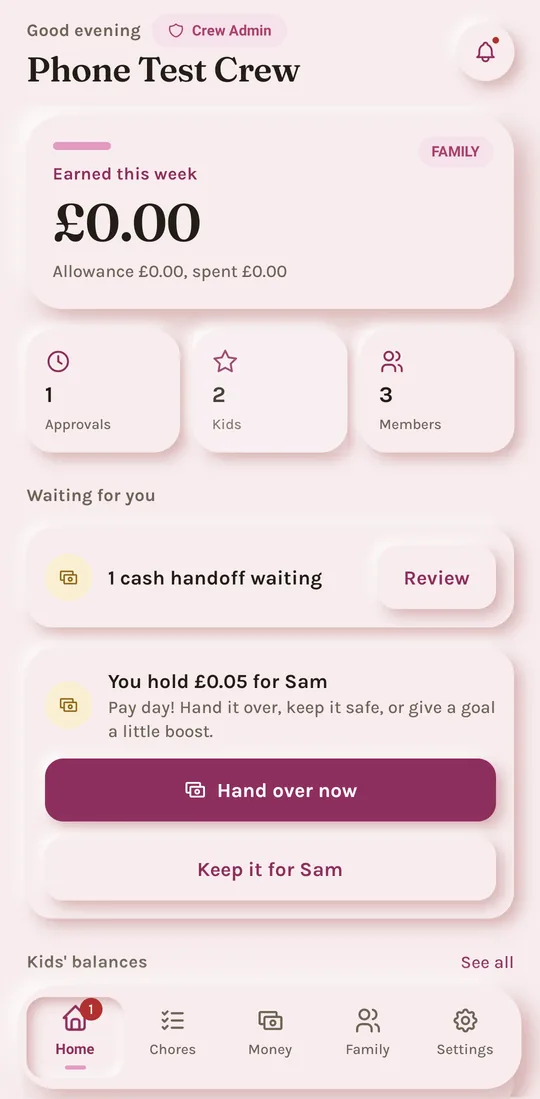
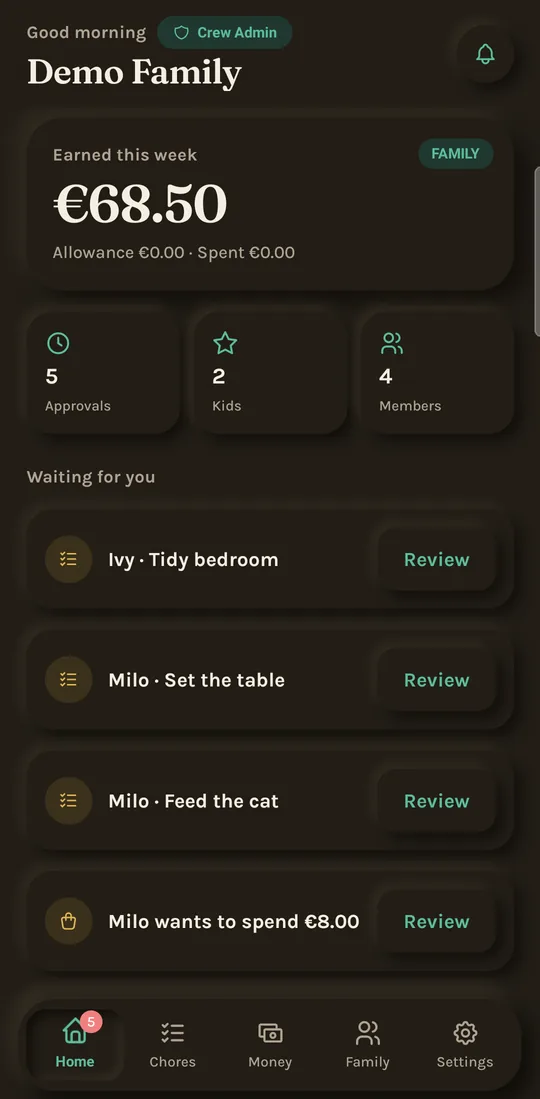
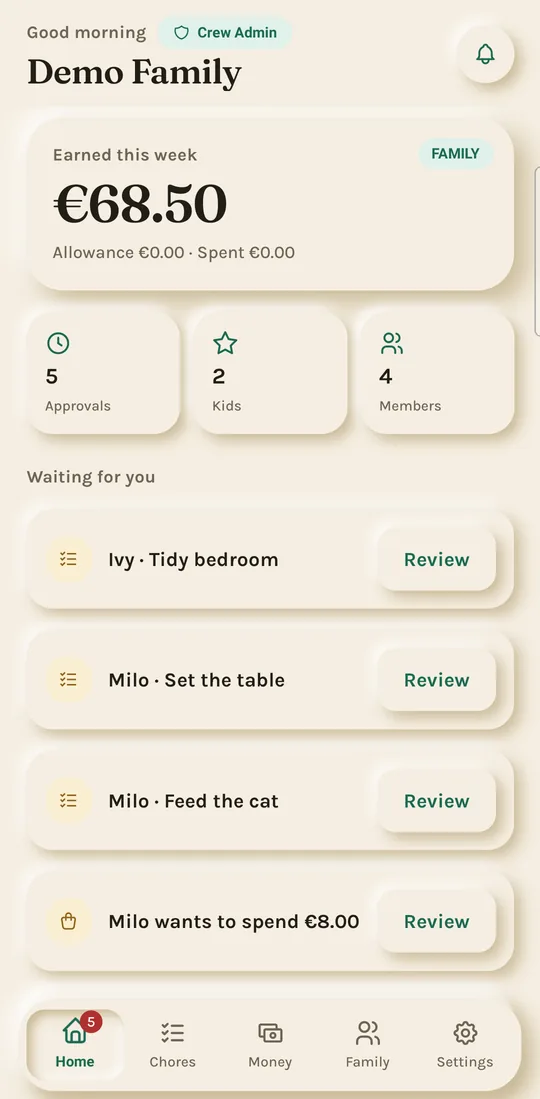
Every kid's balance at a glance, and a single queue for chores, rewards and spending requests that need a decision.
Chores with photo proof
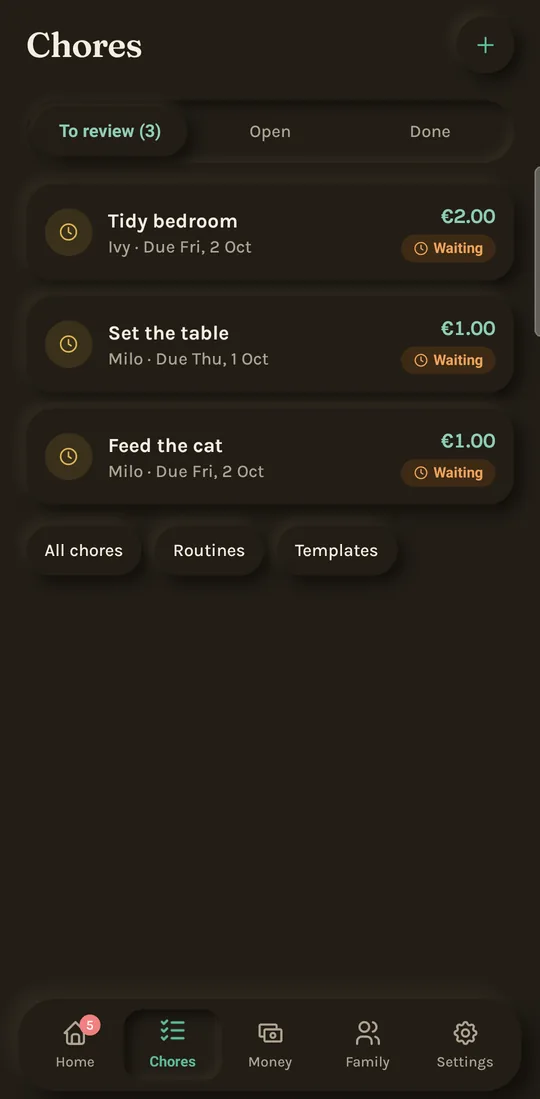
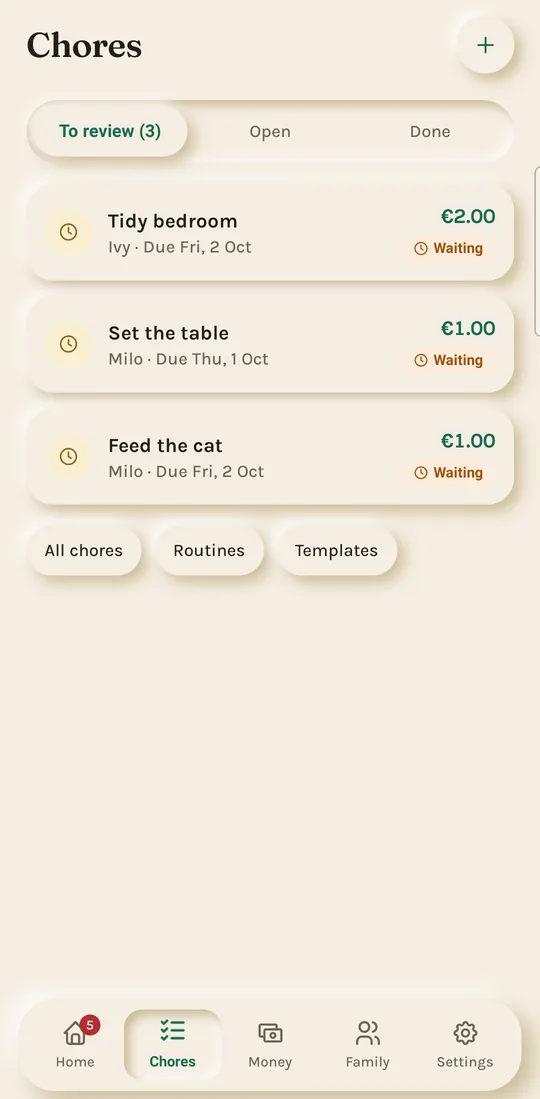
No more arguments about whether the room is tidy. Ask for a photo, review it, then approve, or send it back with a note.
For kids
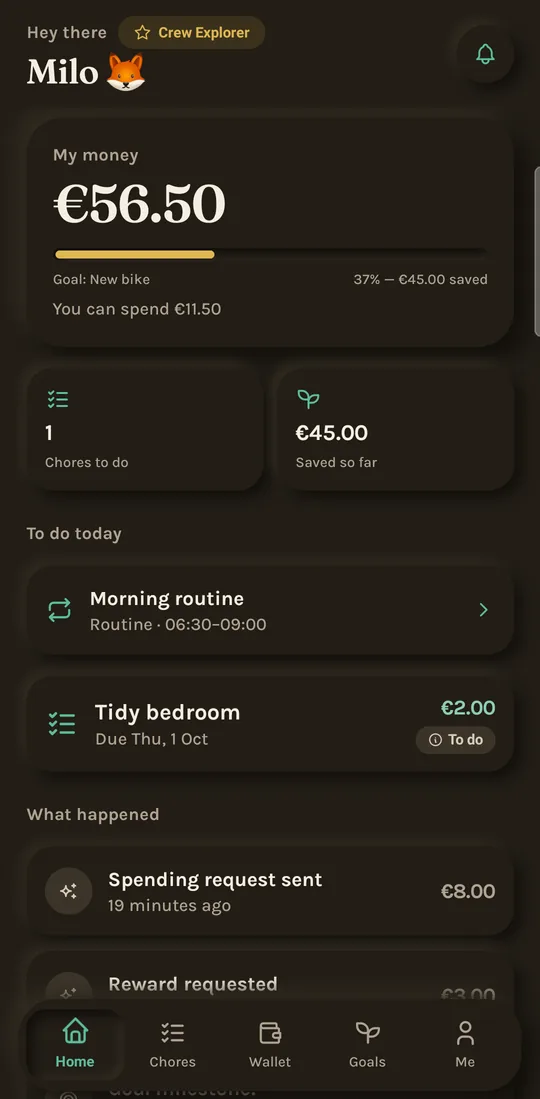
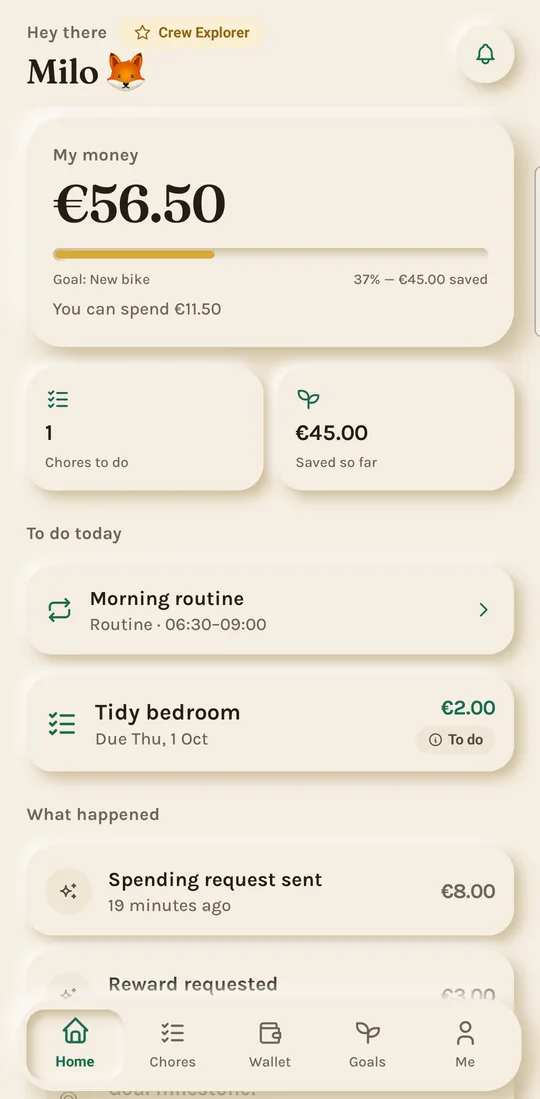
Kids see what they can spend, what they've saved toward each goal, and the chores and routines that earn more.
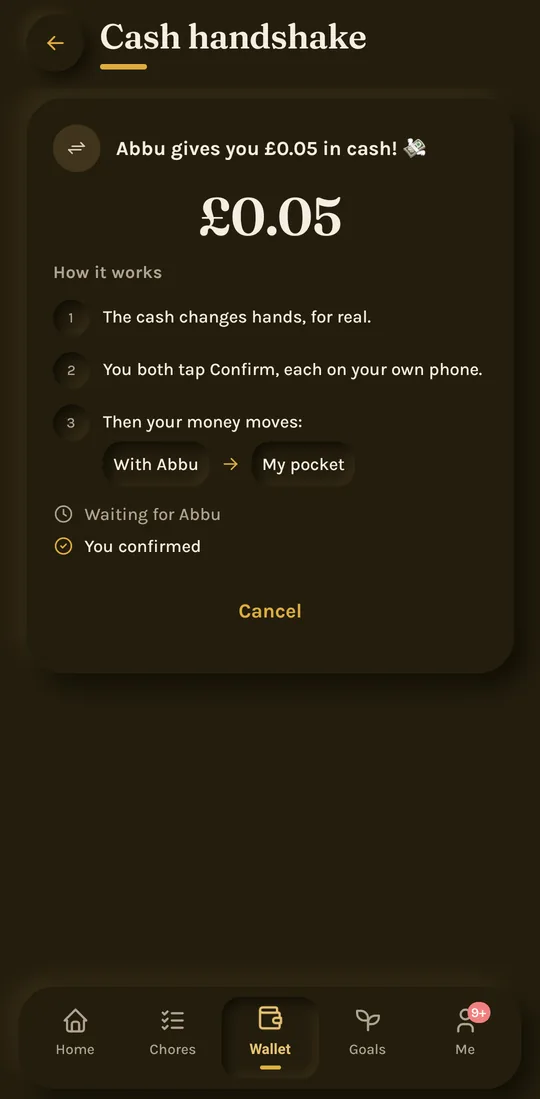
Cash that really changes hands
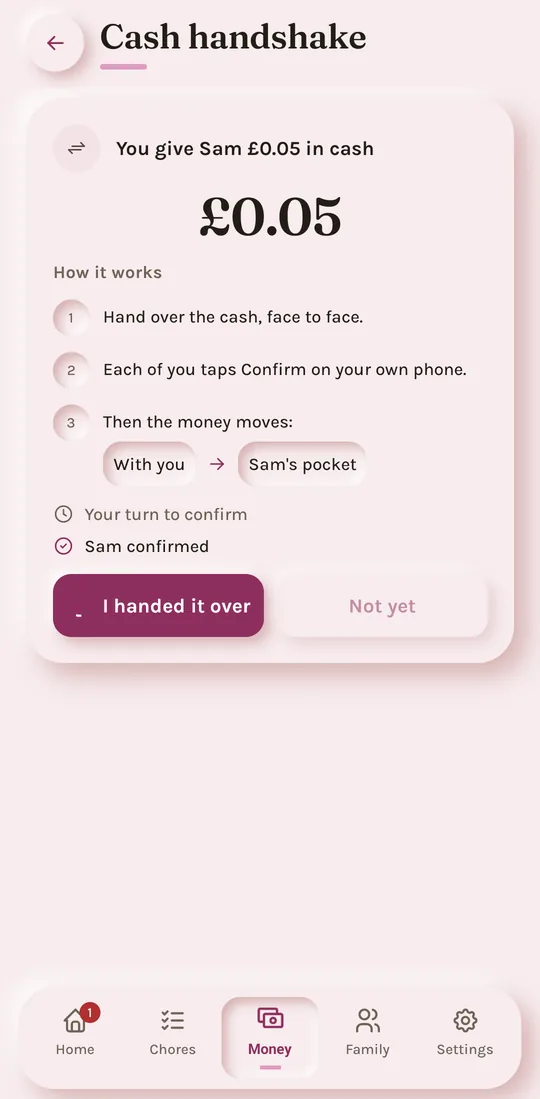
Say yes and give the cash now. Both of you confirm the handshake, and the kid writes down what they bought, so the wallet always matches real life.
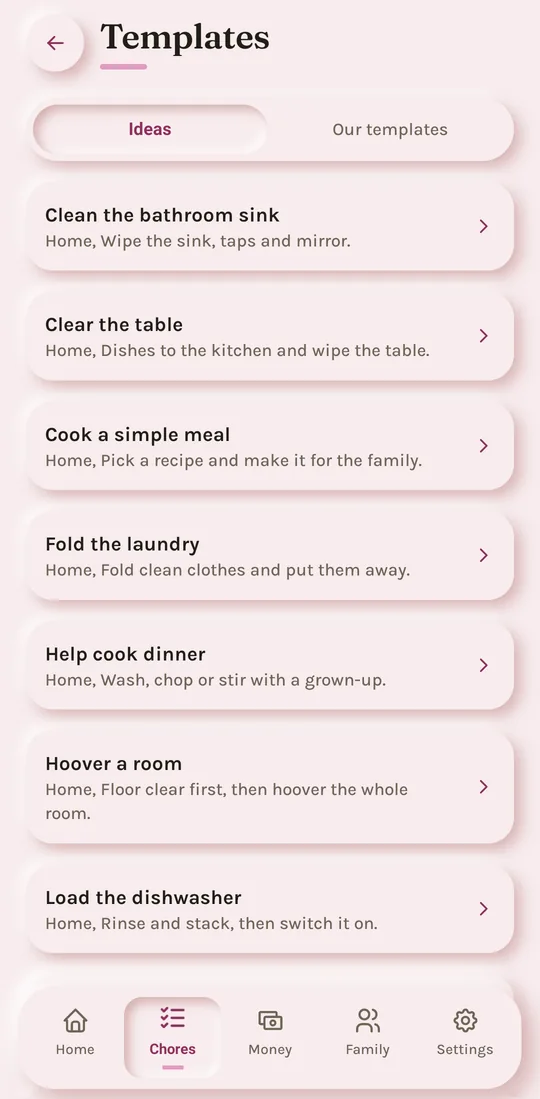
Chore ideas
Pick from chores grouped by home, school, pets and more, set a reward and who does it, and it is ready in seconds.
Family Crew
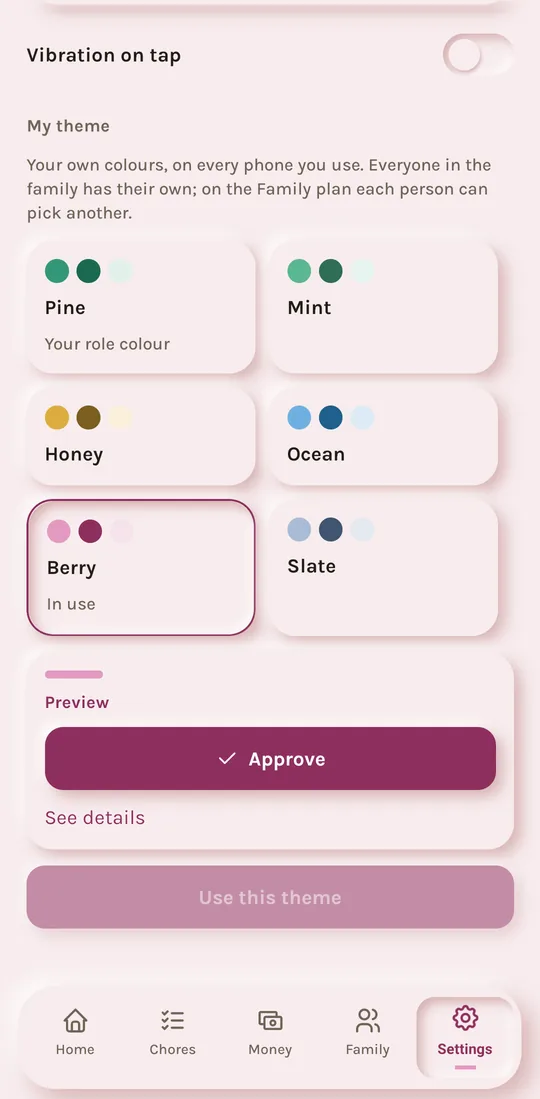
Six themes in light and dark. On the Family plan each parent and kid can pick their own, on every phone they use.
Simple tools for kids, run by parents.
Set a weekly or monthly allowance per kid. PennyCrew records each payment in their account on schedule. Pause or resume any time.
Kids submit a finished chore, with a photo when you ask for one. A parent approves or sends it back before any reward is recorded.
Kids set aside part of their balance for things they want and watch the progress bar fill as they save.
Create rewards like movie night or extra screen time. Kids request them with their balance; a parent approves each one.
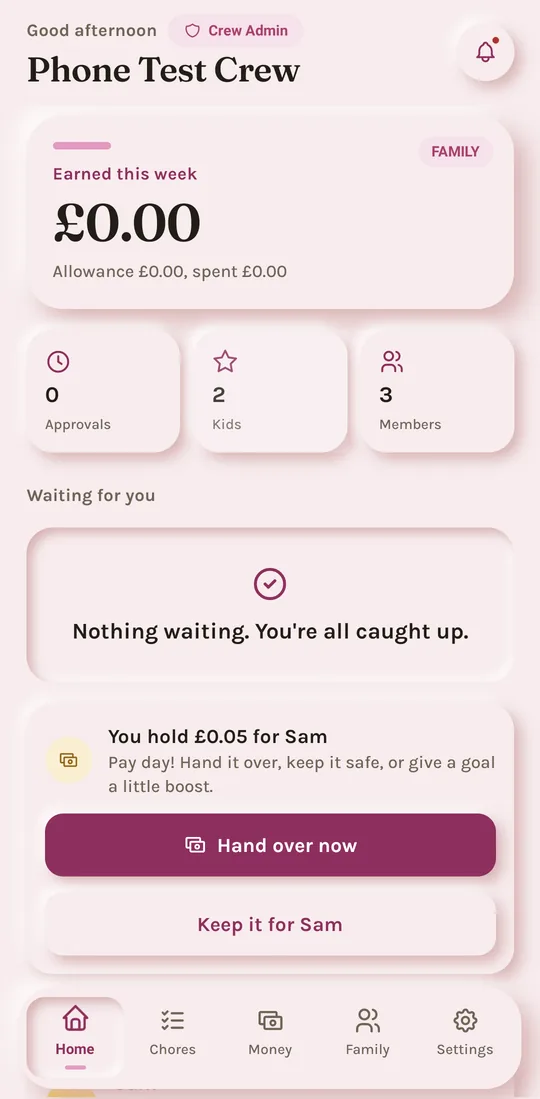
A kid's wallet shows all their money and where it is: cash in their pocket, money a parent is keeping for them, and their goals. Cash changes hands with a two-sided handshake, so the wallet always matches real life.
An optional weekly leaderboard counts approved chores, routines and streaks, never money. Parents decide whether to turn it on (Pro Crew and Family Crew).
Sign in, name your family and choose its currency and time zone. A private family code is created for your kids.
Add each kid with a PIN you choose. Invite a co-parent with a single-use link; you approve them before they join.
Create chores, routines and allowances. Kids see their tasks right away on their own device or a shared family device.
Kids complete chores, save toward goals and request rewards or spending. Parents approve paid chores, rewards and spending requests.
Pocket money and chore pay land with the parent who pays. Hand it over as cash with a two-sided handshake, keep it safe for your kid, or put it in their goal. A monthly count check keeps the wallet true.
Built around transparent family routines, without inflated claims or financial jargon.
Parents review submitted chores before any reward is recorded.
Children use a family code and PIN instead of creating an email account.
PennyCrew is a tracker, not a bank: it records where the real money is (in a pocket, with a parent, in a goal) and never holds or moves money.
PennyCrew is in pre-launch. Join the waitlist and we will email you when it is available on the App Store and Google Play.
No. PennyCrew is a tracker, not a bank. It records where your kids' real money is, in their pocket, with you, or in a goal, in your family's currency. It never holds, moves or pays out money. When cash changes hands, both sides confirm it in the app, so the wallet matches real life.
No. Kids sign in with your family code, their name and a PIN you set. They can use their own device or a shared family device.
Each kid sees only their own money (and where it is), history, chores, goals and requests. They cannot see other children's information, or the family's expenses. On their own they can put money into their goals and write down pocket cash they already spent. Taking money out of a goal, rewards and spending money a parent keeps always need a parent's approval.
We'll email you when PennyCrew is available on the App Store and Google Play.